Change the sticker's colour
White vinyl, or a colour all the way to the cut line.
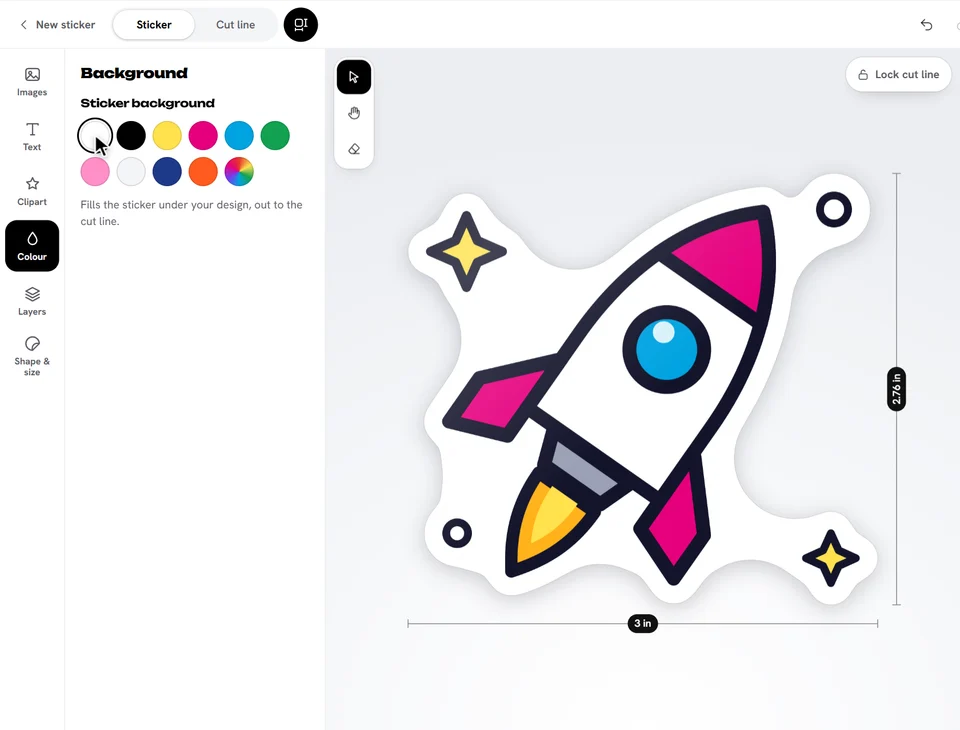
- Open Colour.
- Tap a colour under Sticker background.
On a die cut sticker the colour fills the sticker under your design, out to the cut line. On a shape it fills the whole shape.
Tap the rainbow swatch (Any colour) to choose any colour you like.
To match a colour, tap the eyedropper next to the colours, then tap that colour on your sticker. A magnifier shows what you're on: around the mouse, or above your finger (keep it down and move to aim; the colour is picked when you let go). In Chrome and Edge on a computer you can pick a colour from anywhere on your screen, not just the sticker; Esc cancels. It's there for every colour you pick: text, outlines and shapes too.
Ready to try it?
Open the designer